Year | Release date : 05.2025
Version : 4.0.1
Developer : Ample Sound
Format | Type : Standalone, VST2, VST3, AAX, AU
Bit depth : 64 bit
Tablet : present
System requirements :
☑ Windows: Windows 7/8/10, 64-bit only (32-bit not supported).
☑ Mac: 10.9 or higher.
☑ VST2, VST3, AU, AAX and Standalone host.
☑ 10 GB Hard Disk, Intel i5 or higher.
Size : 456.4 MB


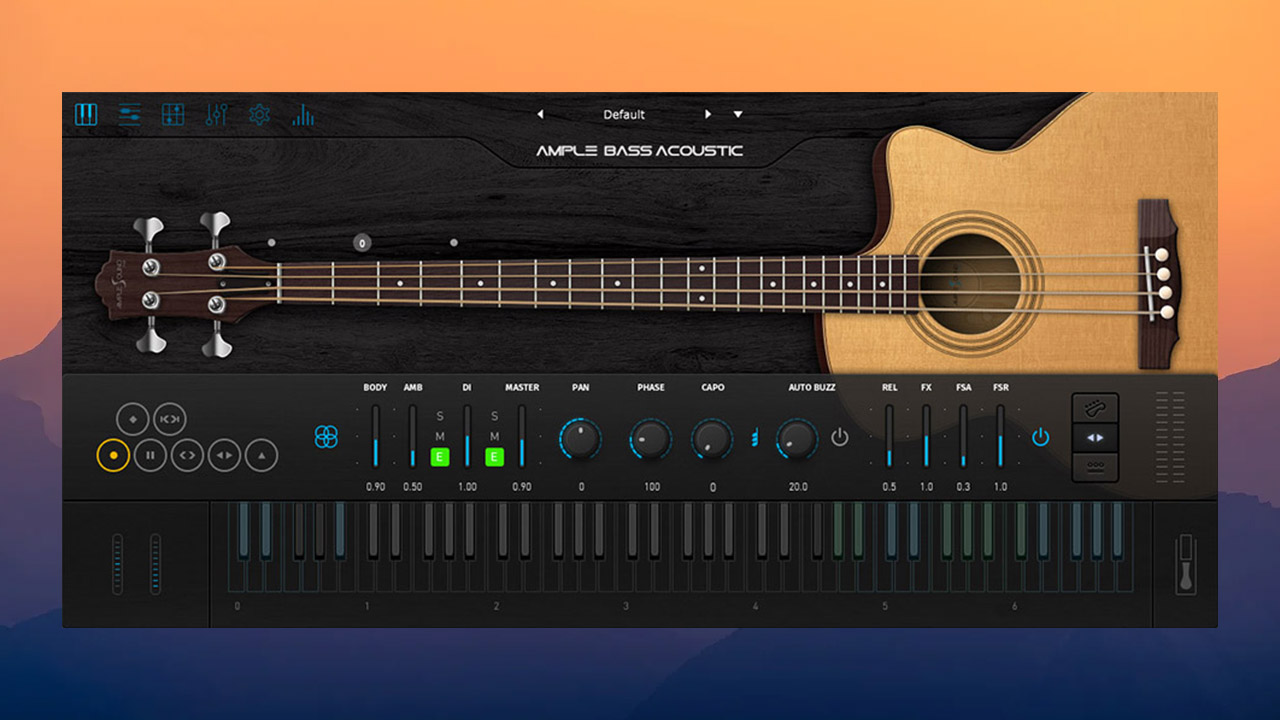
Ample Bass Acoustic is a virtual instrument based on samples of the Guild B-54CE acoustic bass guitar.
✔️ Additional information:
This download only contains the update to version 3.6.0.
The library can be downloaded HERE
✔️ Installation and activation
for Windows:
• Install Installer.exe
• Run the Activator.exe patch. In the ABA v4.0.1 line, click Activate, and in the window that opens, also click Activate (leave the fields blank, you don’t need to enter anything)
• When you first launch the instrument, specify the path to the
macOS sound library:
• Install Installer.dmg
• Run the Activator.dmg patch. In the ABA v4.0.1 line, click the Activate button, and in the window that opens, also click Activate (leave the fields empty, you don’t need to enter anything)
• When you first launch the instrument, specify the path to the sound library
Changes in version 4.0.1
Fixed:
• Issues with audio crackling when the buffer size is 256 or less
• Issues with synchronization with the host application in Tab Reader
• Errors with instrument setup files
• A bug related to looping samples of the Round Robin function
• Errors in determining the root note when using the Dice (randomizer) function in Riffer
• An issue where, after reopening the interface with the Chord Wheel enabled in Riffer, the selected chord block could not be deleted

![iZotope Velvet v1.0.0 [VR] VST3|AAX [WIN]](https://vsttorrent.top/wp-content/uploads/2026/03/iZotope-Velvet-v1.0.0-VR-VST3AAX-WIN-445x265.jpg "iZotope Velvet v1.0.0 [VR] VST3|AAX [WIN]")